
Coffee shop scheduling
Stop scheduling people who can't work.
Class schedules, second jobs, that one Tuesday thing. Your baristas set their availability once, and Zchedule drafts the week around it instead of around your memory.
14 days of Pro, no credit card. The trial starts with your first shift, not today.
Availability first
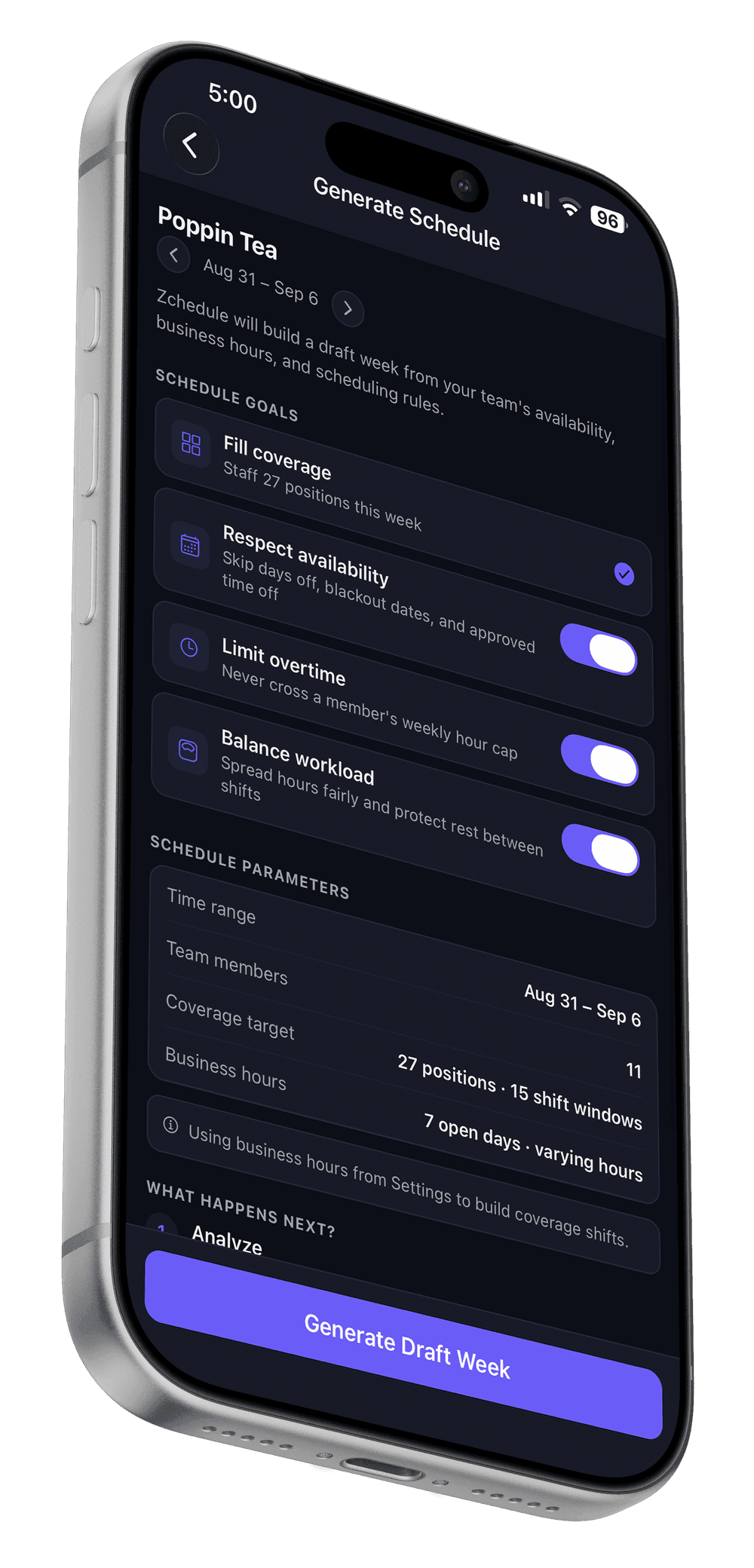
The schedule starts from who can work, not who you remembered.
Employees keep their availability current in the app. The draft-week generator respects it, and if you hand-place a shift on someone's day off anyway, the publish check tells you before the team sees it.
Open and close
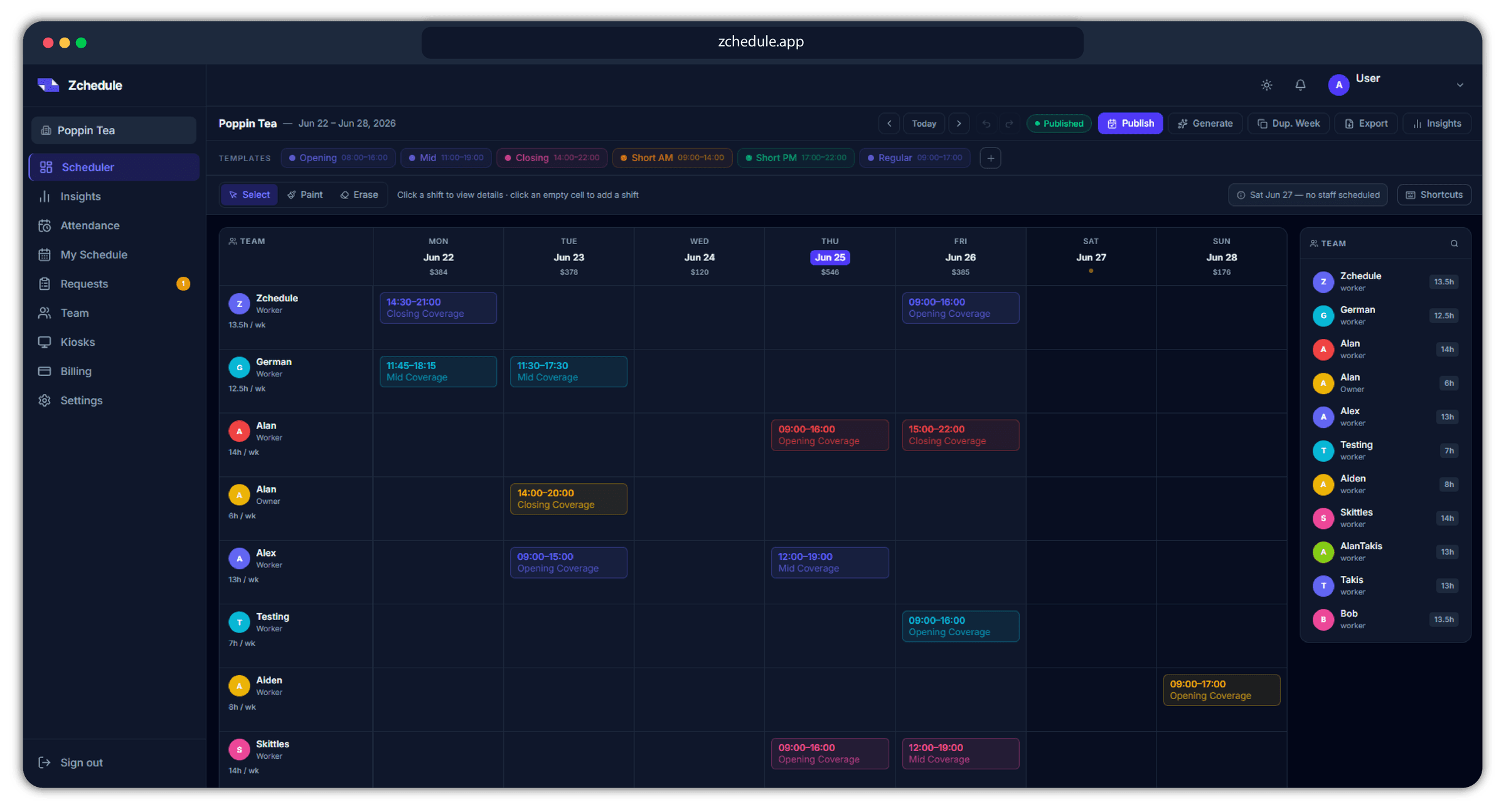
Openers and closers, visible at a glance.
Save your opening, mid and closing shifts as templates and paint them across the week. A day with no one on it gets called out on the board before it becomes a locked door at 6am.
Call-outs
A sick barista is one posted shift, not a phone tree.
Post the shift for coverage and whoever can take it claims it in the app. You approve, the schedule updates, and only the people involved hear about it.
Every seat behind the counter.
Part-timers and students included, without the weekly guessing about who can actually come in.
- Barista
- Shift Lead
- Cashier
- Opener
- Closer
- Prep
More of Zchedule
- The schedule generator
Four ways to draft a week from your hours, staffing and everyone's availability, with the reason for each placement.
- Time clock and kiosk
Clock-ins from the app, a browser or a shared tablet, checked against a zone around the shop.
- Pricing
Free for up to 10 people. One flat price per team above that.
FAQ
Questions worth answering up front.
In the app, on their own phone. They mark the days and hours they can work, and both the generator and the publish check use it.
No. Drafts stay hidden until you publish, and when you change one shift afterwards, only the affected person is notified.
One flat price per team, not per person. Free covers up to 10 people including you, and every new team starts with 14 days of Pro.
Build a week your team can actually work.
Set your hours and staffing, invite the team, and publish. Availability does the arguing for you.
Free for up to 10 people. No credit card. 14 days of Pro on top.