
Employee scheduling
Build the week, publish it, and your team sees when they work
Zchedule puts everyone on one weekly board. Add shifts, check the week for overtime and availability problems, then publish. Employees get the schedule on their phone.
Free for up to 10 people. No credit card.
Updated
Harbor Cafe
Jun 22 – Jun 28
Jordan K. is scheduled for 45h, 5h over the 40h limit. Fix it, or publish anyway.
A week, start to finish
Most weeks take a few minutes once your shifts are saved.
Step 1
Add the shifts
Click an empty cell to add one, or save your usual shifts (Opening, Mid, Closing) and paint them across the week.
Step 2
Check the week
The board shows each person's weekly hours and each day's labor cost as you go. Problems are listed before you publish.
Step 3
Publish
Drafts stay hidden until you press Publish. Then the whole team gets the week in the app.
Step 4
Handle changes
Edit a live shift and only that person hears about it. Call-outs and swaps come to you as requests.
The board
Everyone on a row, the week across the top.
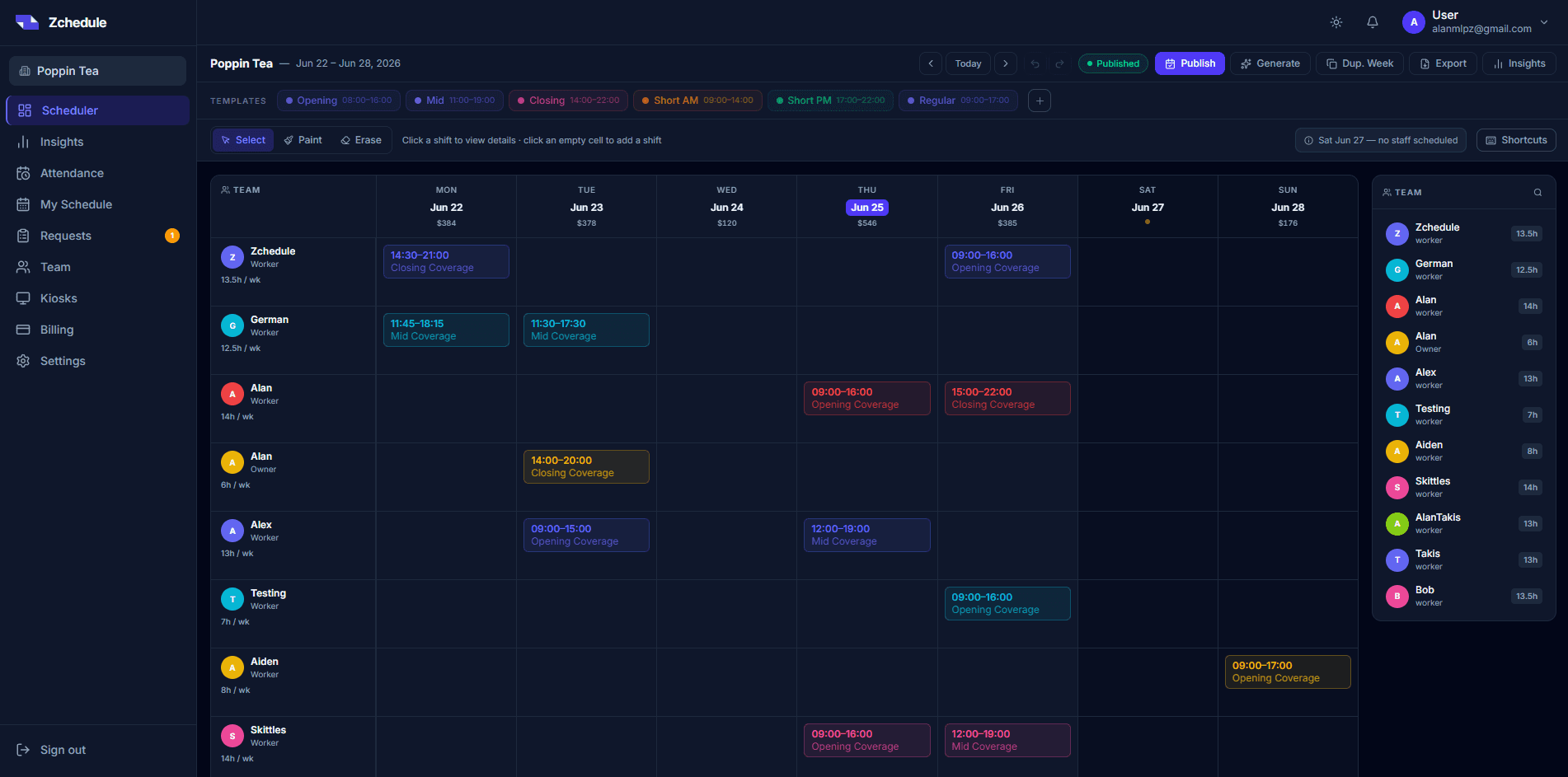
This is the real dashboard. Each row is a person with their hours for the week; each column is a day with its labor cost in the header, worked out from the pay rates you've entered.
- Shift templates
- Save your usual shifts with their times and colors. Pick one and paint it onto the board, or erase a run of shifts the same way.
- Duplicate week
- Copy last week onto this one as drafts, then change what's different.
- Empty days
- A day inside your working week with nobody on it is called out at the top of the board, so a locked door at opening time shows up now.
Before it goes out
The week gets checked when you press Publish.
Zchedule reads the week back to you with a score out of 100 and a list of what's wrong. Fix it, or publish anyway. It's your call.
- Overtime
- Anyone scheduled past their weekly hour limit, and by how many hours.
- Availability
- Shifts on someone's day off, outside their hours, or on a date they blocked out.
- Gaps and mistakes
- Overlapping shifts, shifts with nobody assigned, and days with no staff at all.
Priya S.
Availability
- Mon6 AM – 2 PM
- Tue6 AM – 2 PM
- WedDay off
- Thu12 – 9 PM
- Fri12 – 9 PM
- SatAll day
- SunDay off
Unavailable dates
Before you publish
Jun 22 – Jun 28
- Priya S. is marked unavailable on this date — Friday 12:00–21:00
- Luis M. has this day off — Wednesday 08:00–16:00
- Jordan K. is scheduled outside their available hours — Monday 14:00–22:00
For employees
The schedule is on the first screen of the app.
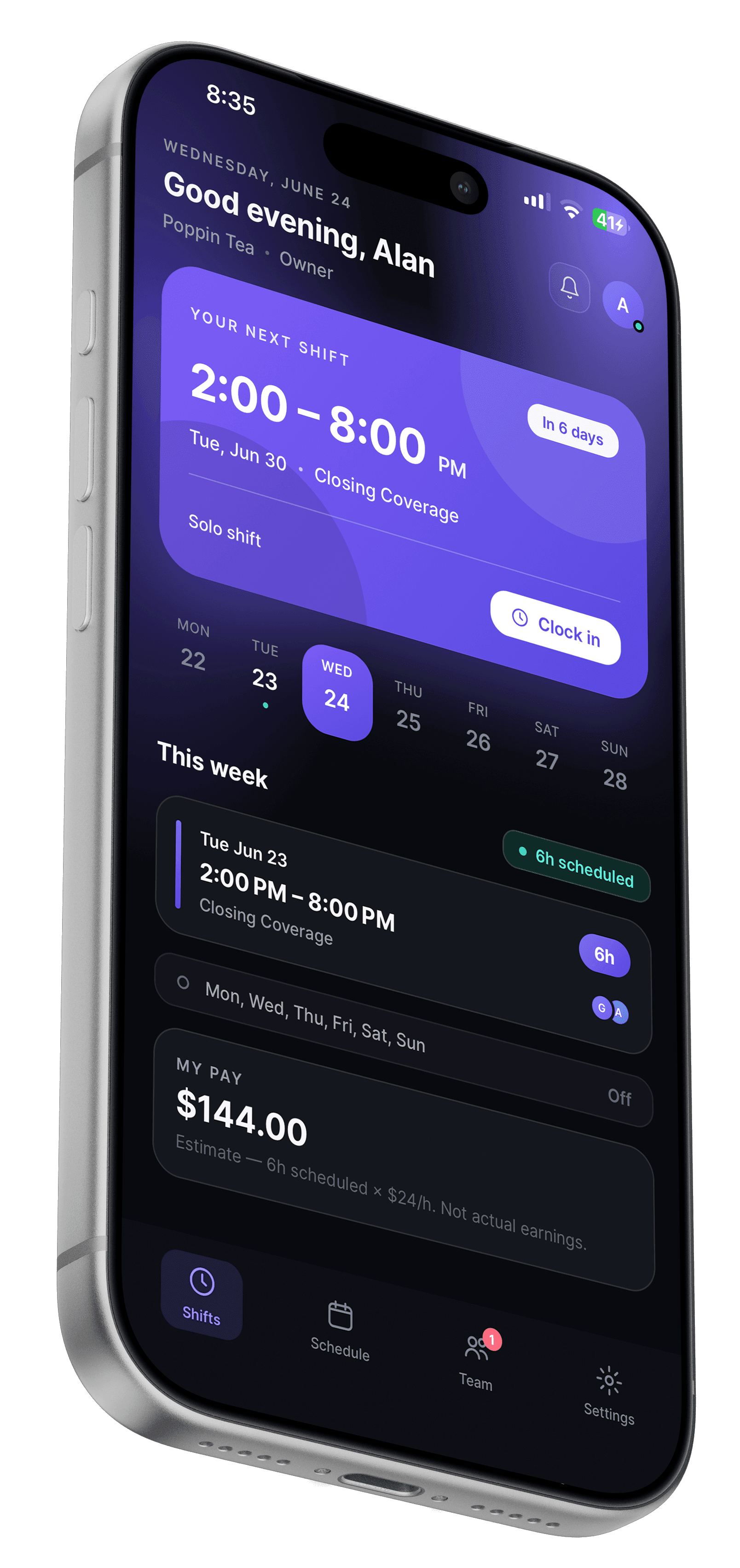
Employees open the iPhone app, or any browser, and see their next shift and the week. When you publish or change something that affects them, they get a notification.
- Availability
- Employees set the days and hours they can work and block out specific dates, from their phone.
- Requests
- They can post a shift they can't work for coverage, or ask to swap with a coworker. You approve either one.
- Announcements
- Post a note to the team (a menu change, a new closing checklist) and everyone else is notified.
Plans
Scheduling is free for small teams.
Which plan
- Weekly schedule board
- Free
- Publish check with a 0–100 score
- Free
- Availability and blocked-out dates
- Free
- Coverage requests
- Free
- Saved week templates
- Starter — $19.99/month per team
- Schedule generator, all four modes
- Pro — $39.99/month per team
Free covers up to 10 people with no time limit. Every new team also gets 14 days of Pro, which includes the schedule generator.
FAQ
Questions worth answering up front.
Scheduling is free for teams of up to 10 people, with no time limit. That includes the weekly board, publishing, availability, the publish check and coverage requests. Bigger teams and extras like shift swaps and the time clock are on Starter and Pro.
No. Shifts you're still working on are drafts and stay hidden. Employees see the week when you publish it.
The change goes live and only the person on that shift is notified. The rest of the team isn't pinged about a shift that isn't theirs.
No. They can use the iPhone app or open the schedule in any browser, including on Android.
Yes. Duplicate week copies last week's shifts onto the new one as drafts, which you then adjust and publish. On Starter and Pro you can also save whole weeks as templates.
Related
- Schedule generator
Draft a week from your staffing needs and everyone's availability, then edit it.
- Employee availability
Employees set the hours they can work and the dates they can't. The schedule warns you.
- Shift swaps
Two employees trade shifts. You see both people's hours and approve once.
- Restaurants
Front of house and the kitchen on one week, and call-outs posted as open shifts.
- Coffee shops
Early openers, a morning rush, and baristas with class schedules.
- How to make an employee schedule
A step-by-step way to build next week's schedule in about an hour.
Build next week's schedule in Zchedule.
Free for up to 10 people. Add your team, save your usual shifts, and publish.
No credit card needed.